


PixVerse: AI Video Generator
4.537.95K Reviews
App Specs
- Version
- 3.18.1
- Updated On
- License
- Free
- Downloads
- 50,000,000+
- Developer
- PixVerse
- Categories
- Photography
- Platform
- Android, iOS
Screenshots
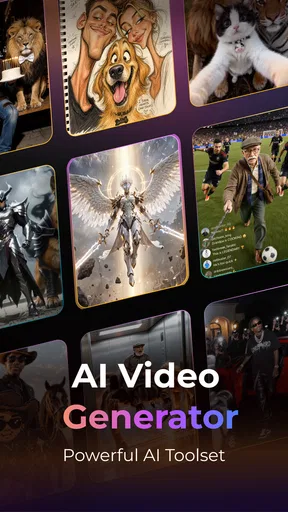
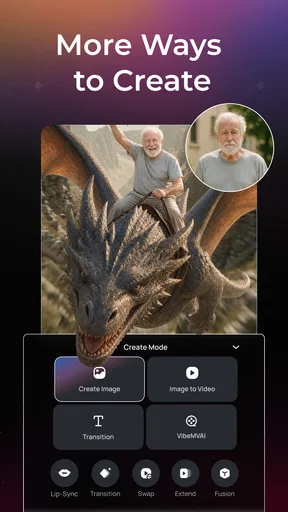
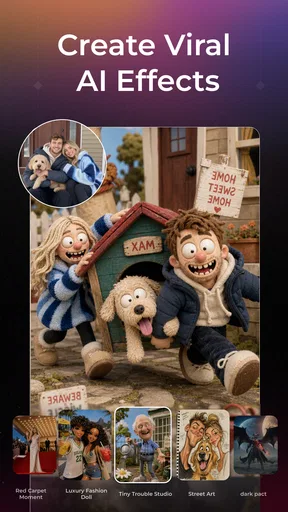
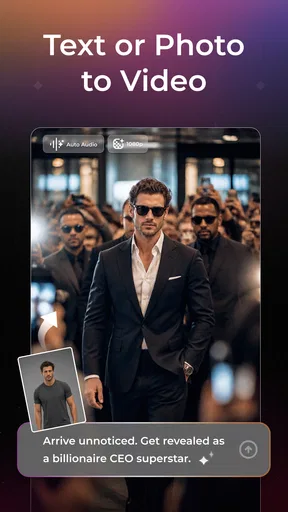
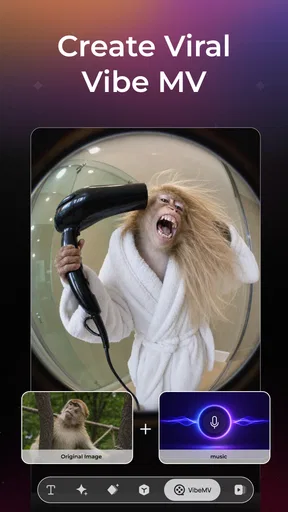
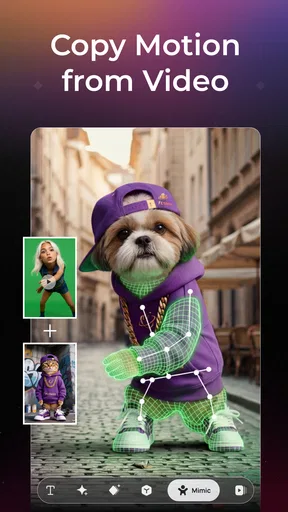
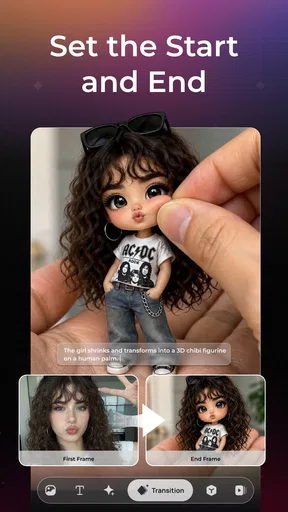
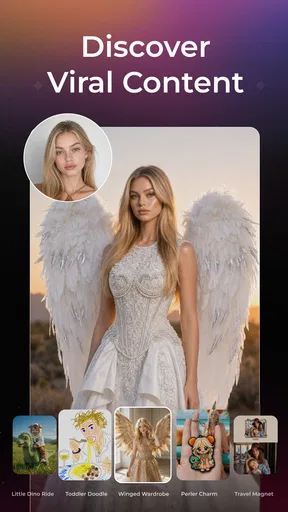
 Analysis by AppCompare
I find PixVerse: AI Video Generator most useful when I have a visual idea but not the time or editing skills to build a video from scratch. It is a photography app from PixVerse, though its focus is creating moving images rather than simply adjusting still photos. The appeal is straightforward: bring in an image or describe a scene, then let the app help turn that starting point into a short creative piece. That makes it worth considering for casual social posts, concept experiments, and anyone who wants to explore AI video without first learning a desktop editor.
When a still image needs to become a story
A practical way to approach the app is to begin with one clear idea, not a long list of visual instructions. For example, if I want to make a lively post from a travel photo, I would choose an image with a readable subject and decide what feeling I want the motion to convey before I start. A simple, focused prompt or source image gives the generation process a more useful direction than trying to describe every detail at once.
That image-to-video starting point is especially handy when I already have a photo I like but it feels too static for a social feed. It can also help a small business or hobby creator sketch out a visual mood before investing time in a more polished edit. I would treat the result as a creative draft, though, rather than assuming the first output will be ready to publish. The value is in quickly seeing an idea move, then deciding whether it is worth refining.
Making choices before the render
AI generation is not the same as arranging clips on a conventional editing timeline. In a traditional editor, I can precisely trim footage, place a cut, or adjust a sequence. With PixVerse, the central work is shaping the input: choose a suitable image or write a concise text idea, then assess what the system produces. That difference matters. If your project depends on exact timing, continuity between several shots, or detailed control over every frame, a standard video editor is likely to be the better tool.
For more dependable results, I would keep the subject prominent and avoid asking one prompt to combine several unrelated actions. A crowded image or competing instructions can make it harder to get a coherent motion idea. I also find it sensible to save the original image separately and compare each generated result against it; that keeps the experiment grounded in the look I actually want, rather than encouraging endless changes just because more variations are possible.
What to expect from an AI-first workflow
The strongest use case here is speed of ideation. PixVerse can bridge the gap between a mental picture and a moving visual, which is a different job from fine-cutting footage captured on a phone. For a creator who regularly edits real clips, I would use it alongside a conventional editor: generate an imaginative visual here, then use another tool if the finished post needs exact captions, a carefully timed soundtrack, or a tightly controlled sequence. That division of labor is more realistic than expecting one app to cover every production need.
It is also worth thinking about the destination before creating. A looping visual for a casual social post can tolerate a little unpredictability; a product demonstration or an announcement with precise details usually cannot. If viewers must read text, recognize a specific object, or follow a clear action, inspect the result carefully before sharing it. AI-generated motion can be visually engaging while still not communicating the practical detail a business post needs.
Worth Reading Before You Choose

Flipboard Shows What News Apps Must Do Beyond the Feed

Switching to Android Auto Means Rethinking Your Driving Routine

Google Calendar Makes a Crowded Week Easier to Manage

Ludo King Makes the Most of the Minutes Between Plans

Baby Panda World Brings Quick Play to Modern Phones, but Its Game Library Feels Busy

ESPN’s Live Game View Makes Following Close Games Easier
Who will get the most from it
I would recommend trying it if you enjoy experimenting, want a quick way to animate an idea, or often need a visual starting point for short-form content. It is also approachable for someone who finds a conventional editor’s timelines and controls intimidating. On the other hand, I would skip it as a primary production tool if you need frame-by-frame precision, predictable continuity, or a dependable way to assemble a long video from many recorded clips. Those jobs call for editing controls rather than generation-led exploration.
Cost is another part of the decision. PixVerse is free to install, but it offers in-app purchases, with listed item prices ranging from $4.99 to $599.99. I would begin with the free experience and decide whether the app fits my routine before spending anything; a wide purchase range is a reason to check the specific offer and its terms in the app rather than assuming every creation path is free. The app is rated Teen, so younger users and families should take that age guidance into account.
Getting Started with PixVerse
First things first, downloading PixVerse is a breeze. It’s available on both Android and iOS, so no matter what device you're using, you’re covered. Once installed, the app welcomes you with a sleek, user-friendly interface that even my grandma could navigate. It’s intuitive, straightforward, and doesn’t overwhelm you with too many options right off the bat.
Features That Make It Stand Out
What really caught my attention are the AI-powered features that do the heavy lifting for you. You can transform simple images into dynamic videos with just a few taps. Just upload your photos, and the AI does its magic to create professional-looking videos. It’s like having a video editor in your pocket, minus the technical jargon.
Another cool feature is the text-to-video capability. Yes, you heard that right. You can input text, and PixVerse will convert it into engaging video content. This is perfect for creating social media posts or promotional content quickly. The AI is surprisingly good at picking up the mood and theme of your text, giving you results that are both relevant and visually appealing.
Ease of Use
Now, let’s talk about ease of use. The app is designed to be a no-fuss solution for video creation. You don't need to worry about complicated settings or adjustments. Just select a few templates, customize them with your content, and you’re good to go. The process is so seamless that it almost feels like cheating, but in the best way possible.
I also appreciate the app’s efficiency. It processes videos quickly without sacrificing quality, which is something not many apps in the same category can boast about. Plus, it supports various video formats, making it a versatile tool for any type of project.
Creative Potential
While PixVerse is fantastic for quick edits and social media content, it also offers tools for those who like to dabble in more creative projects. There are numerous filters, effects, and transitions to experiment with. You can truly let your creative juices flow and produce something unique and personal.
Whether you’re a seasoned videographer looking for a quick editing solution or a newbie wanting to explore video content creation, PixVerse offers something for everyone. It’s a delightful mix of simplicity and creativity packed into one powerful app.
From first draft to something shareable
For a realistic everyday workflow, imagine I have a photo from a weekend walk and want a more eye-catching post before sharing it that evening. I would start with the clearest image, decide on one motion or mood, and generate a few alternatives rather than endlessly rewriting the prompt. Then I would choose the version that preserves the subject and atmosphere I care about. This small, deliberate loop—source, describe, compare, select—often saves more time than trying to perfect a complicated prompt on the first attempt.
One useful trade-off is that an animated image can attract attention without adding much information. If the post is meant to explain an event, show a product accurately, or communicate instructions, I would pair the generated visual with a separate, clear caption and check that the movement has not made the subject misleading. For a mood piece or an imaginative teaser, looseness can be part of the charm; for a factual demonstration, it is a risk to manage.
Choosing between generation and conventional editing
Compared with the usual mobile video editors, PixVerse is better approached as a generator than as a complete replacement for clip-based editing. A conventional editor is the safer choice when I already have footage and need to cut it to a beat, combine multiple takes, or place information at an exact moment. PixVerse is more appealing when I have a still image or a written concept and want to explore a moving interpretation quickly. The two approaches solve different problems, so choosing between them depends on whether the hard part is inventing a visual or controlling recorded material.
There is a similar distinction with simple photo-editing apps. Those are usually more predictable for correcting color, cropping, or retouching a picture while keeping it recognizably unchanged. PixVerse makes more sense when I want the image to become a video idea, not merely a cleaner photograph. If the original image itself is the final product, adding AI motion may be unnecessary work and may change the qualities that made the photo appealing.
Reviewing results before handoff
I would not treat a generated video as automatically publication-ready. Watch it once for visual coherence, then again with the intended audience in mind: does the key subject remain clear, and does the motion support the message? This is particularly useful for promotional material, where a striking result can still be the wrong result if it distracts from the offer or presents an object inconsistently. If the visual needs precise text, timing, or branding, I would finish those elements in a tool designed for exact editing rather than relying on a generated scene to carry them.
Before building a batch of posts around one look, I would test a single example from start to finish. That reveals whether the app suits the style and amount of control the project needs. It also helps avoid spending time generating a series that later proves difficult to use in the intended format. For an individual creative experiment, that extra check can be informal; for work that represents a shop, organization, or client, it is a sensible quality-control step.
Practical fit, price, and compatibility
PixVerse has an average rating of 4.5 from around 3.6 million ratings, and it has passed 10 million installs. Those figures suggest that it has reached a broad audience, but they do not tell me whether its generation style will match a particular project. I would still judge it by trying a modest idea first. The current version is 3.11.0, and the app requires Android 7.0 or later, which is useful to check before planning a workflow around an older device.
The app was released on September 25, 2024, and its large audience makes it easy to find people exploring similar kinds of AI visuals. I would not confuse popularity with precise editing control, though. If you need a dependable production pipeline, test the entire handoff you care about—generation, review, and any final adjustments—before promising a finished result to someone else. For casual creators, that may simply mean checking how the video looks on the platform where it will appear.
When I would pass, and when I would keep it
I would pass if my main goal were to edit a long collection of existing clips, preserve exact visual continuity, or deliver a tightly specified commercial sequence without room for variation. In those situations, the extra unpredictability of AI generation can create more review work than it saves. I would also choose a regular photo editor when all I need is a faithful still image, or a conventional video editor when timing and assembly matter more than inventing a scene.
I would keep PixVerse in my creative toolkit for quick concepts, playful experiments, and posts where a fresh moving image matters more than exact control. Its best role is not to replace every editor on my phone, but to make a type of visual exploration easier to try. That distinction keeps expectations realistic and helps me decide when a generated draft is genuinely useful instead of merely novel.
In short, if you’re on the hunt for an app that makes video creation easy, fun, and accessible, give PixVerse: AI Video Generator a try. It’s not just another video editing app; it’s a tool that empowers you to bring your ideas to life with minimal effort. Check it out and start creating today!
Pros
- Intuitive user interface for easy navigation.
- Wide range of AI-generated video styles.
- Fast rendering times for video creation.
- Supports high-resolution video outputs.
- Regular updates with new features.
Cons
- Limited free features; subscription required.
- Occasional glitches with complex scenes.
- High battery usage during rendering.
- Requires stable internet for optimal performance.
- In-app purchases can be pricey.
FAQs for PixVerse: AI Video Generator
What is PixVerse: AI Video Generator?
PixVerse: AI Video Generator is an innovative app that uses artificial intelligence to transform your photos and short clips into dynamic, professional-quality videos. It offers a range of customizable templates and effects, making it easy to create engaging content for social media or personal projects without requiring advanced editing skills.
Is PixVerse suitable for beginners?
Yes, PixVerse is designed with user-friendliness in mind, making it accessible for beginners. The app provides step-by-step guides and intuitive controls to simplify the video creation process. Even if you have no prior experience with video editing, you can produce impressive videos with minimal effort.
What features does PixVerse offer?
PixVerse offers a variety of features including AI-driven video enhancements, customizable templates, transitions, and effects. It also supports adding text, music, and voiceovers to enhance your videos. The app frequently updates with new templates and tools, ensuring a fresh and evolving user experience.
Are there any in-app purchases or subscriptions?
While PixVerse offers a free version with basic features, it also provides premium options through in-app purchases or subscription plans. These unlock additional templates, effects, and higher resolution exports. Users can choose the plan that best fits their needs and budget, ensuring flexibility and scalability.
Is PixVerse available on both Android and iOS?
Yes, PixVerse is available for download on both Android and iOS platforms. You can find it on the Google Play Store for Android devices and the Apple App Store for iOS devices. Regular updates ensure compatibility and feature enhancements across both operating systems.


